Check the pass separately from the vehicle price
This example comes from a Brix PH video uploaded July 17, 2026.
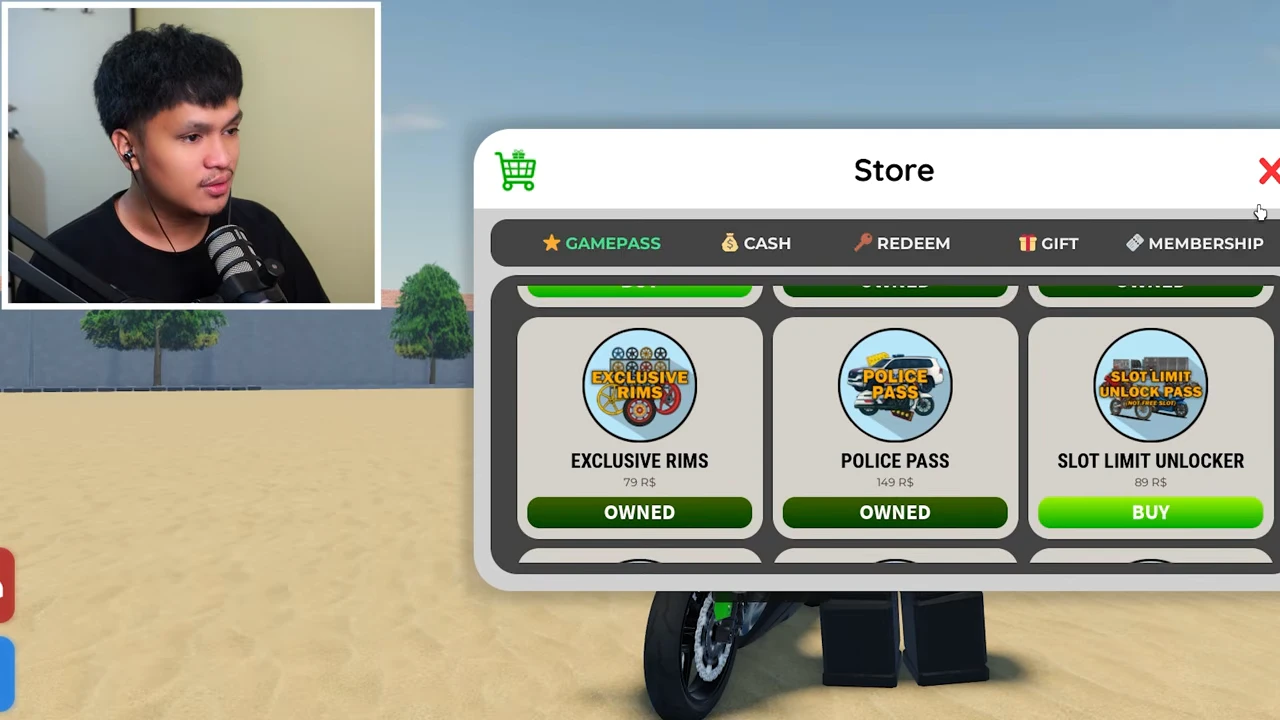
Later in the same recording, Store → GAMEPASS shows POLICE PASS as OWNED. The selected Xmax Police vehicle also names Police Pass in its Gamepass field. Those are separate from the cash price of the vehicle. Check your own ownership state rather than assuming that enough in-game cash satisfies the pass field.
The video does not show buying the pass or a purchase attempt without it. If your pass is not owned, inspect the current offer and terms before deciding whether to purchase it; this guide does not promise access without the named pass.
Follow the POLICE marker to the station
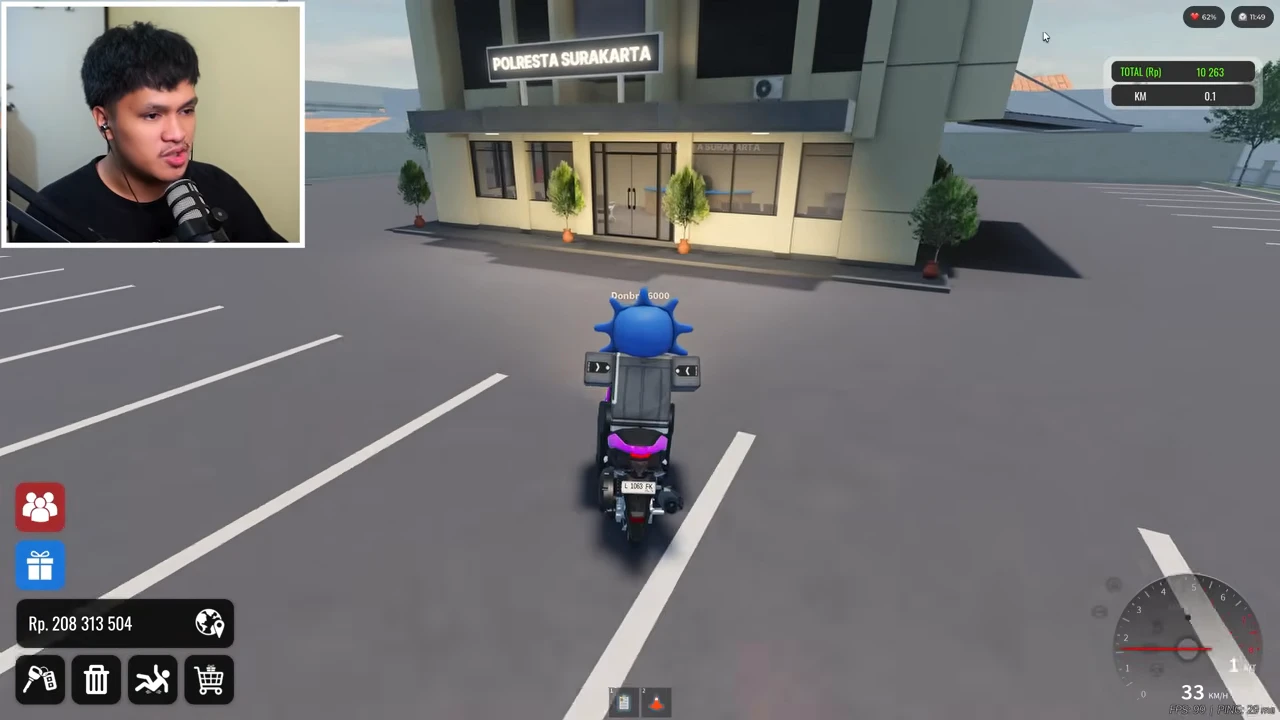
The approach follows the floating POLICE label to the building marked POLRESTA SURAKARTA. Enter through the front doors and go past the reception area. Inside, START JOB is a green floor marker and POLICE VEHICLE DEALER is a separate counter with a red floor marker.
Start duty, then use the separate dealer counter
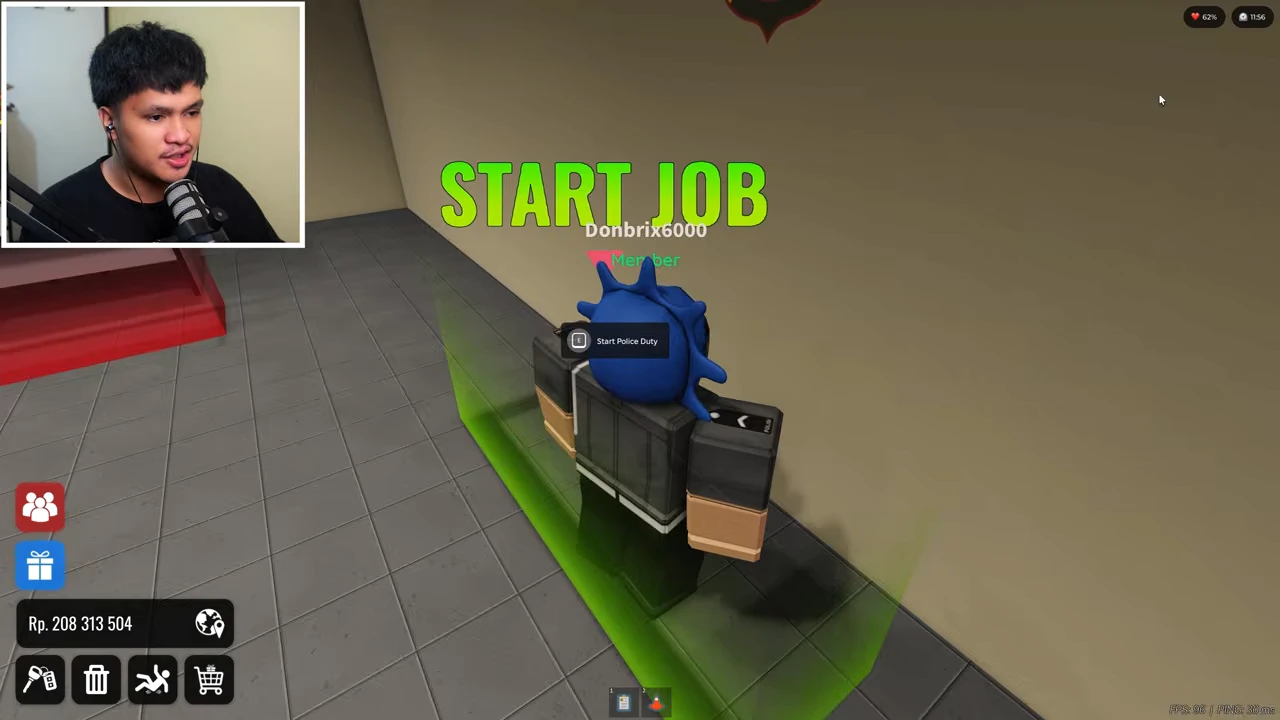
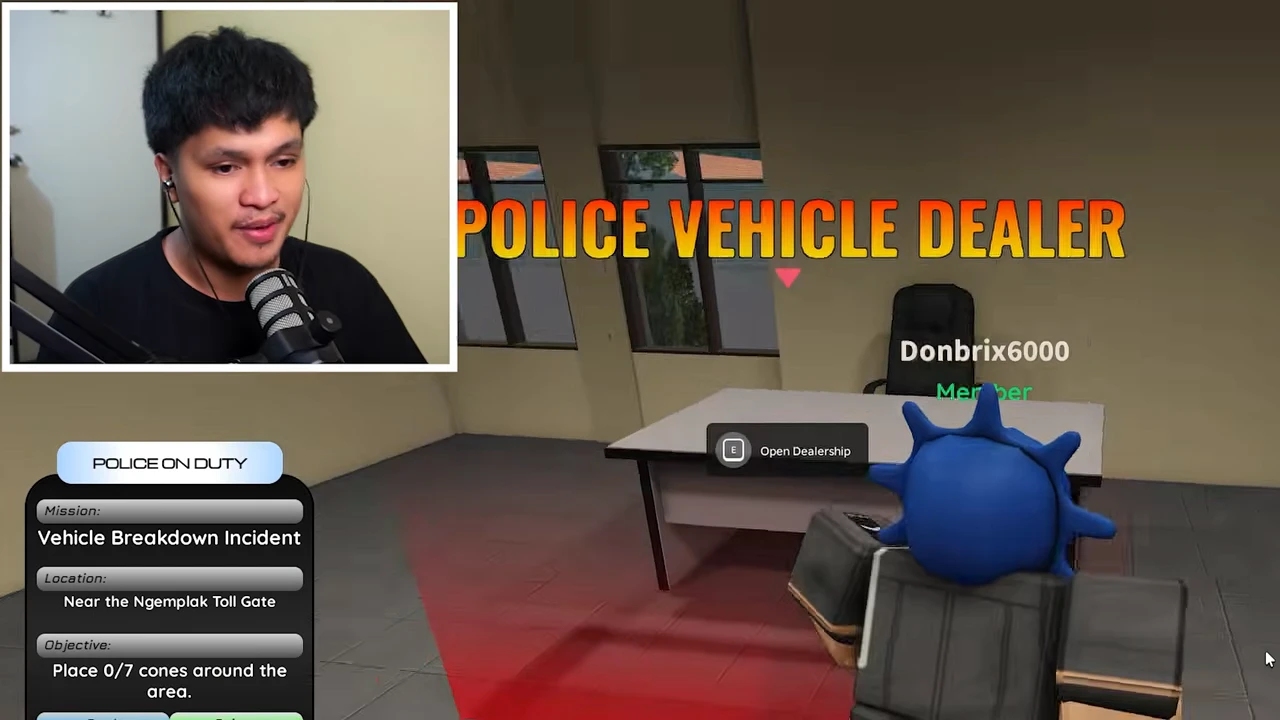
At START JOB, the recorded E prompt reads Start Police Duty. Interacting with it produces the POLICE ON DUTY panel. The player then walks to POLICE VEHICLE DEALER and uses E / Open Dealership.
This is the successful route shown in the video. It does not test opening the dealer while off duty, so the sequence should not be treated as proof of an additional off-duty restriction.
Open the vehicle list and inspect the selected entry
At the red dealer marker, use Open Dealership, find Yahamax - Xmax 300 Connected 2023 (Police) and choose VIEW. The detail panel shows 18.8 HP and Gamepass: Police Pass. The list price is Rp87,650,000. Read the complete model name so that a regular Xmax or another police entry is not confused with this selection.
| Access check | Recorded observation |
|---|---|
| Dealership | POLICE VEHICLE DEALER inside the station |
| Selected model | Yahamax - Xmax 300 Connected 2023 (Police) |
| Shown power | 18.8 HP |
| Gamepass field | Police Pass |
| Vehicle price | Rp87,650,000 |
| Pass ownership evidence | OWNED in the same recording’s later Store view |
Confirm the named model and verify the purchase result
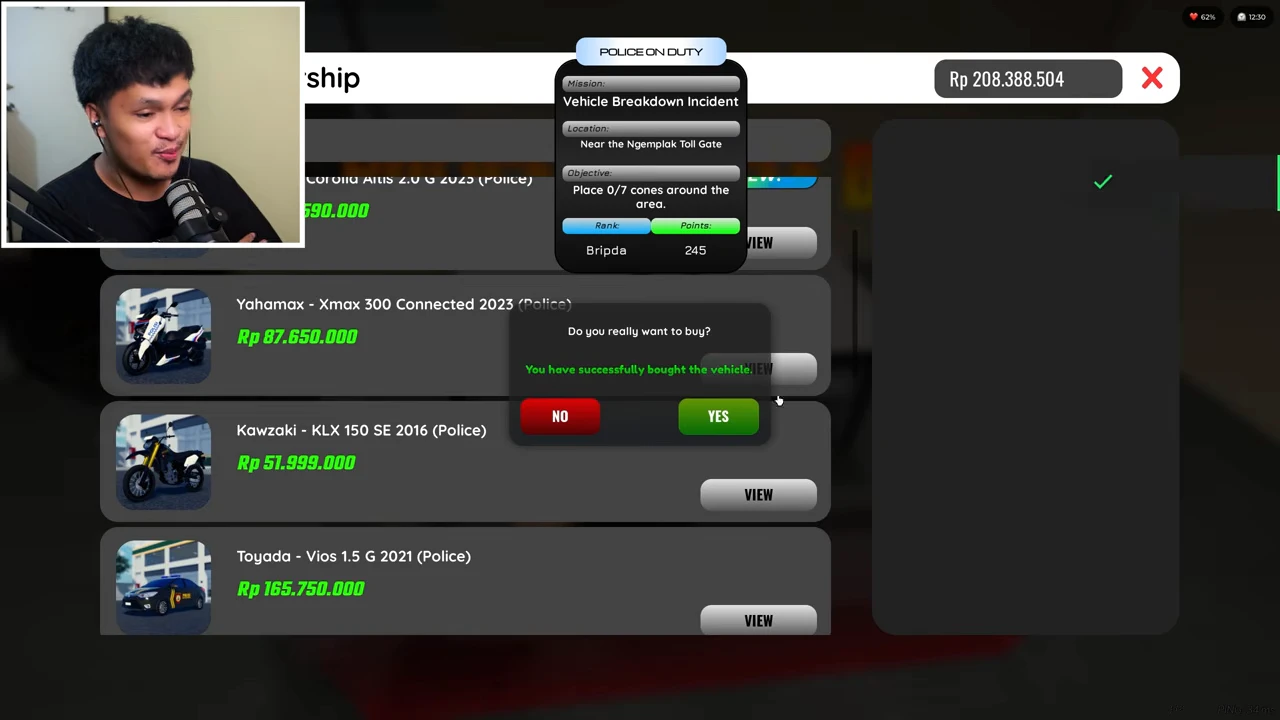
Use BUY for the selected entry, check the confirmation, then choose YES only if this is the vehicle you intend to purchase. The dialog returns a successful-purchase message. The wallet changes from Rp208,388,504 before purchase to Rp120,738,504 after leaving the panel: a difference of Rp87,650,000, matching the listed price.
The successful result demonstrates this account’s access to this model at that time. It does not establish a current price, a minimum rank for all police vehicles, or a free-vehicle unlock. The visible Bripda / 245 duty status is an account observation, not a proven rank requirement.
Use this checklist in your current session
Keep the three checks separate: the named pass, the selected vehicle and the purchase result. A police mission on the screen does not by itself identify which vehicle you selected or prove that a purchase completed.
- Check the current selected model’s Gamepass field and your Store ownership status.
- Identify the police station and follow the recorded START JOB → POLICE VEHICLE DEALER route.
- Use VIEW to inspect the exact Police model, price and named pass before BUY.
- Read the confirmation and choose YES only for the intended model.
- Look for the success message and compare the wallet change with the quoted vehicle price.