Know which version this example shows
The source was uploaded March 23, 2026. Its description links the official DDS place ID 131378148336503 and labels the session BETA V1.1.3. Treat the following prices and menus as that recorded example; check your own current menu before spending.
Inspect the selected motorcycle before buying
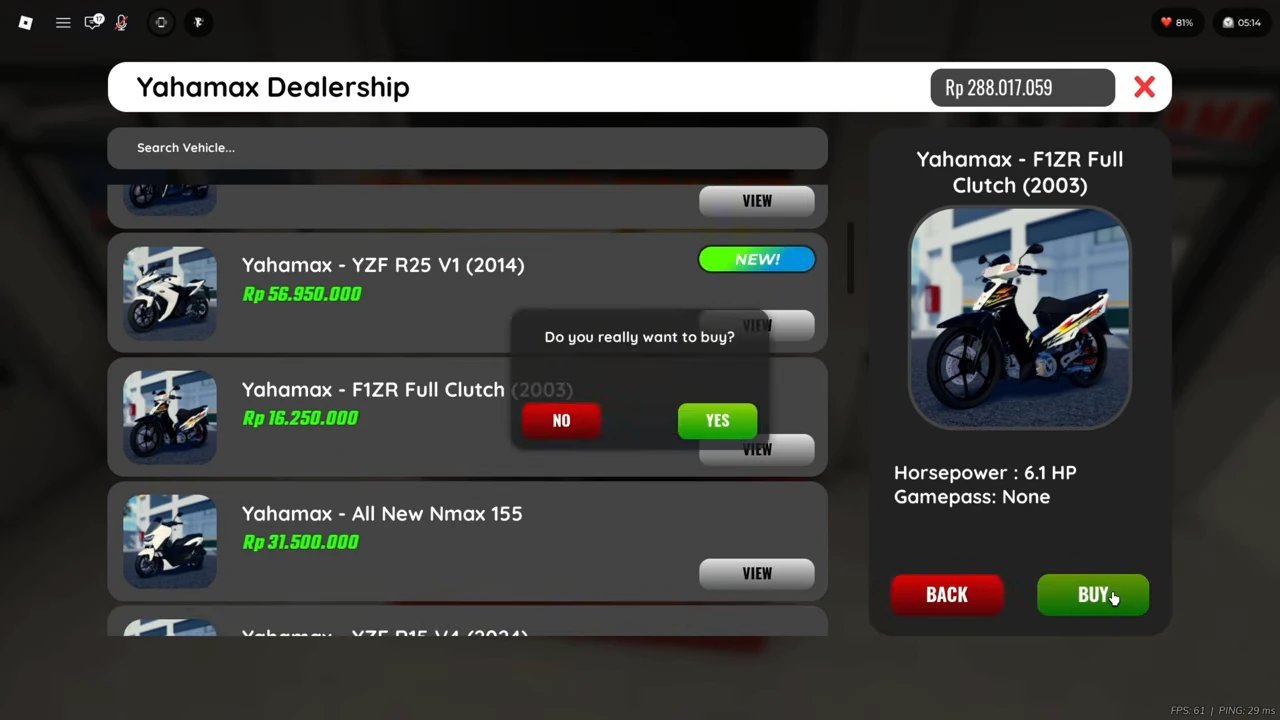
At Yahamax Dealership, selecting F1ZR Full Clutch (2003) opens a detail panel with 6.1 HP and Gamepass: None. Its listed price is Rp16,250,000. BUY opens a YES / NO confirmation; it does not itself show a completed purchase.
After YES, the next frame shows a successful-purchase message, a −Rp16,250,000 deduction and a wallet change from Rp288,017,059 to Rp271,767,059. That observed purchase is for F1ZR Full Clutch. The YZF R25 V1 tile remains in the surrounding list and must not be mistaken for the selected bike.
Enter the modification garage with your bike
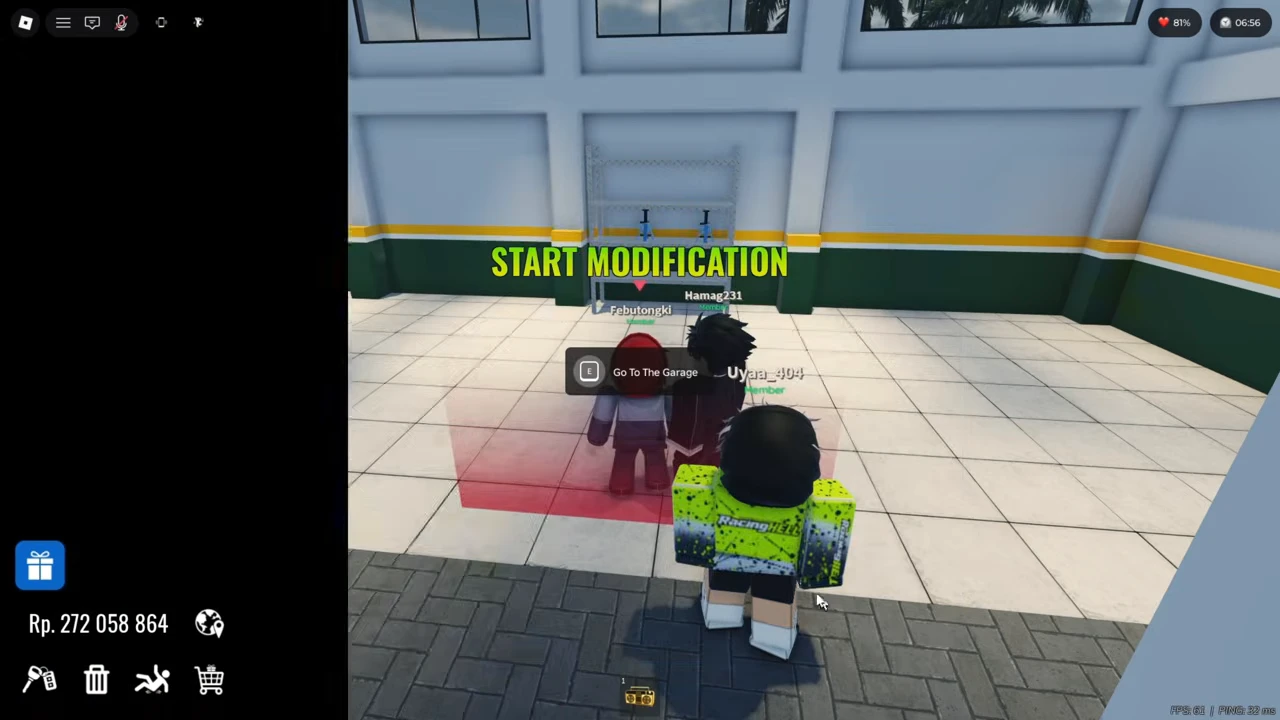
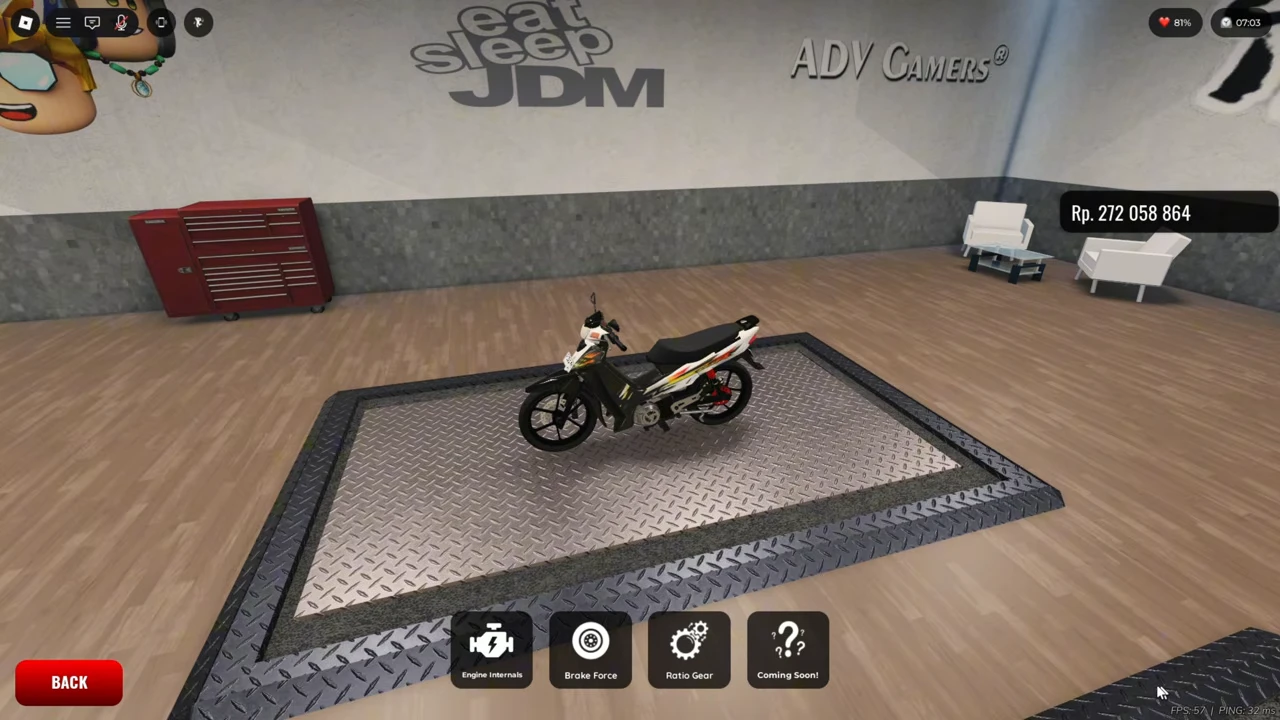
At the START MODIFICATION marker, the recorded keyboard prompt is E / Go To The Garage. After the loading screen, the F1ZR appears on the workshop platform. The main categories include Engine, Body Appearance, Wheel, Custom Plate, Lights and Suspension.
Choose Engine to reach the engine submenu. The recording briefly opens Engine Internals and returns to the submenu; gear tuning uses the separate Ratio Gear button. You do not need to buy an engine stage to identify that button.
Use Ratio Gear and record your starting values
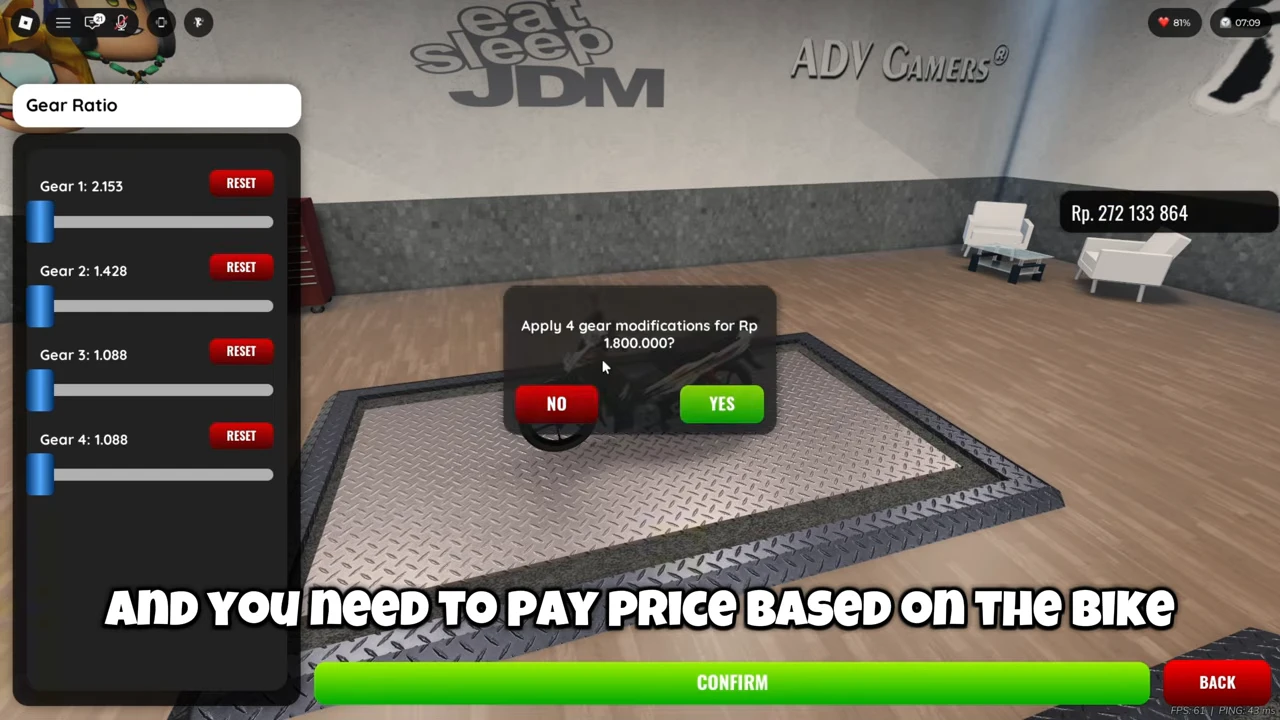
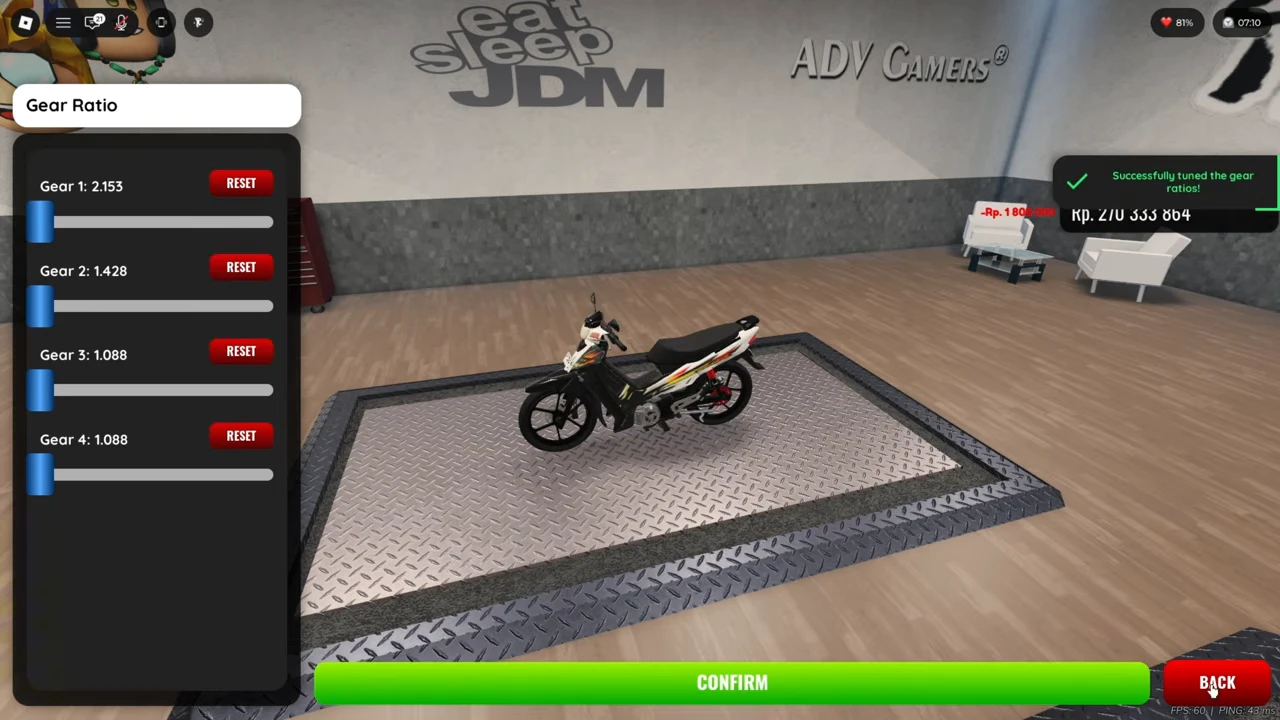
Ratio Gear opens a Gear Ratio panel. This F1ZR panel has Gear 1 through Gear 4 sliders, individual RESET buttons, CONFIRM and BACK. The captured editing sequence is already changing values, so the numbers in it are not a verified factory-default setup.
Before moving a slider in your own session, write down the current value for every gear. Keep those values as your comparison baseline. For an initial test, changing one setting gives you a clearer comparison than copying all four numbers at once.
Read the quote before applying the change
The recorded edited values are listed below. They are an observed configuration, not a recommended fastest setup. Pressing CONFIRM opens a dialog asking to apply four gear modifications for Rp1,800,000. Check that dialog before choosing YES; NO is the visible alternative.
| Gear | Value in the recorded confirmation |
|---|---|
| 1 | 2.153 |
| 2 | 1.428 |
| 3 | 1.088 |
| 4 | 1.088 |
Check application, then return to the road
After YES, the interface reports that the gear ratios were successfully tuned. The wallet changes from Rp272,133,864 to Rp270,333,864, and a −Rp1,800,000 indicator matches the quote. The next road scene shows the F1ZR being ridden with that post-purchase tuning balance.
Use the success message and deduction to distinguish an applied change from sliders you merely edited. The recording does not reopen the ratio panel after leaving or reconnect, so it does not establish persistence across a new session.
Compare motorcycles or settings without inventing a ranking
Use a repeatable test for the decision you actually need to make. For a setting comparison, keep the same bike and route and change one setting. For a bike comparison, record both exact vehicle names and installed changes first. Avoid calling one bike better after a different route, gear, collision or upgrade configuration.
- Record your bike and current setup before editing.
- Choose one comparison question and one change.
- Read the actual confirmation cost and apply only the change you intend.
- Repeat the same route and note the result rather than relying on one speedometer frame.
- Keep or revise the setup based on repeated handling experience; retain the earlier values for another comparison.
| Record | Why it matters for your comparison |
|---|---|
| Exact motorcycle and installed changes | Keep a tuning change separate from a vehicle change. |
| Starting and ending settings | Make the comparison reproducible. |
| Route, starting point and gear | Use similar conditions for each run. |
| What you observe | Note acceleration, cornering or control problems relevant to your route. |
| Repeated runs and interruptions | Separate a consistent result from one collision or missed input. |