Choose DRL Light inside lighting
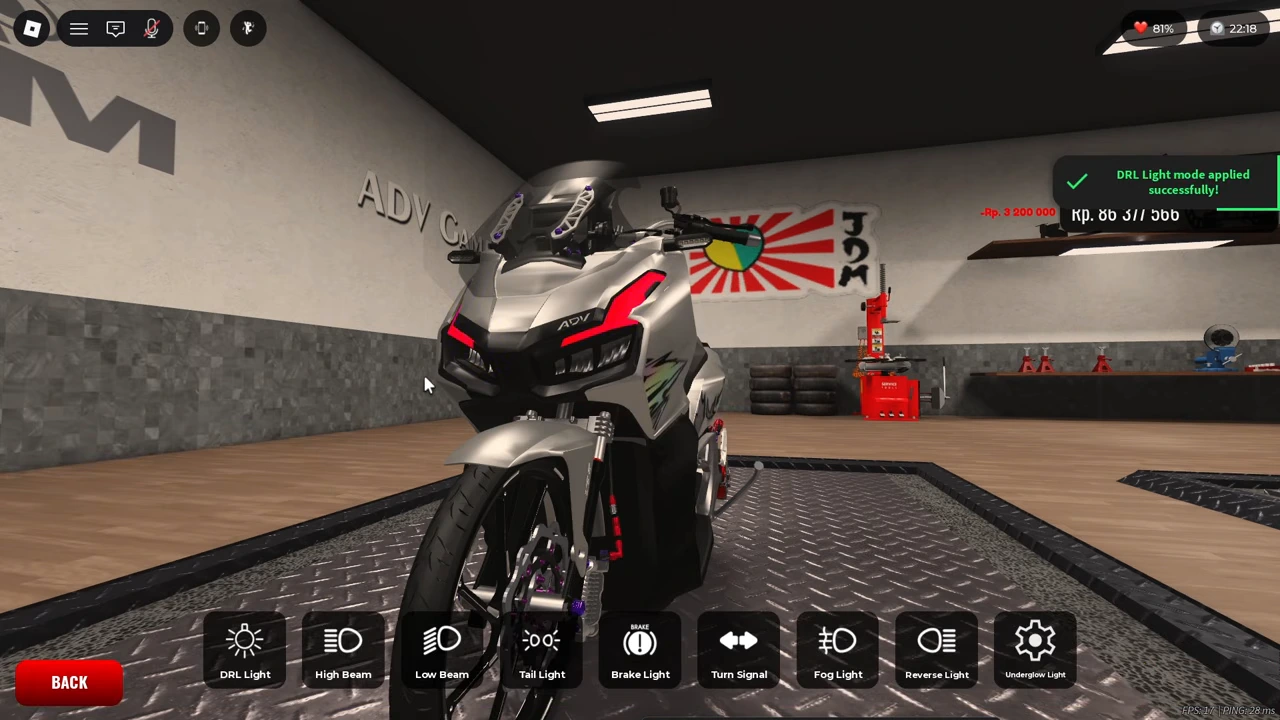
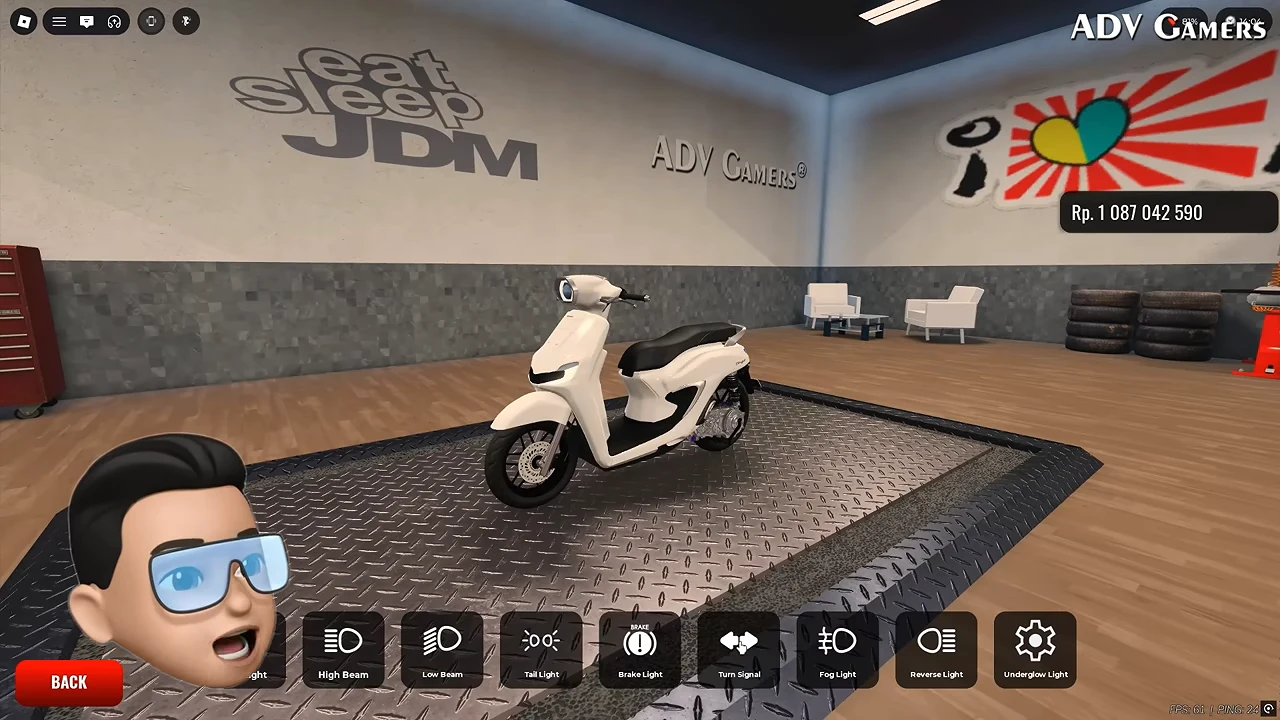
The garage’s lighting row contains DRL Light alongside separate high-beam, low-beam, tail, brake, turn-signal, fog, reverse and underglow entries. Select DRL Light for the daytime-running-light change shown here. Changing a neighbouring lamp category would target another setting.
Set the mode and colour separately
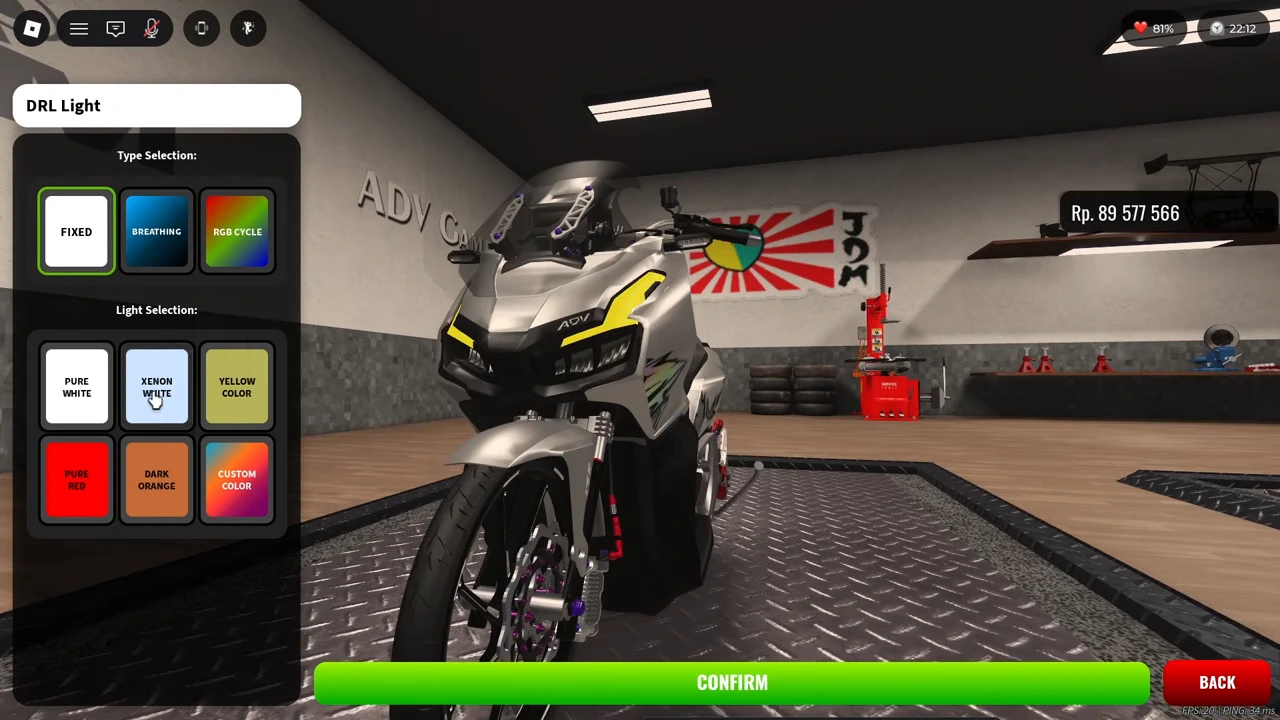
Type Selection offers Fixed, Breathing and RGB Cycle. Light Selection includes named presets such as Pure White, Xenon White, Yellow, Pure Red and Dark Orange, plus Custom Color. Use the on-screen motorcycle preview to inspect the result before applying. These are options visible on this selected motorcycle; the footage does not test every vehicle’s compatibility.
| Control group | Visible choices |
|---|---|
| Type Selection | Fixed; Breathing; RGB Cycle |
| Light Selection | Preset colours; Custom Color |
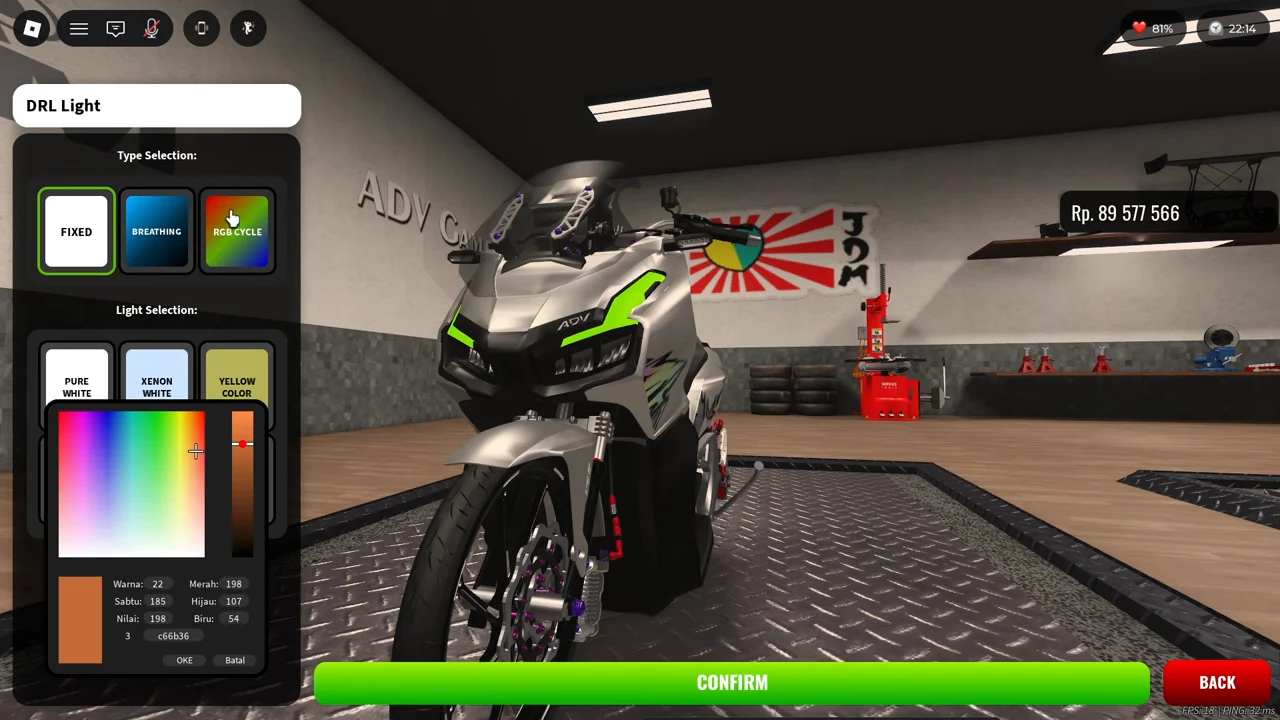
Use the custom picker when needed
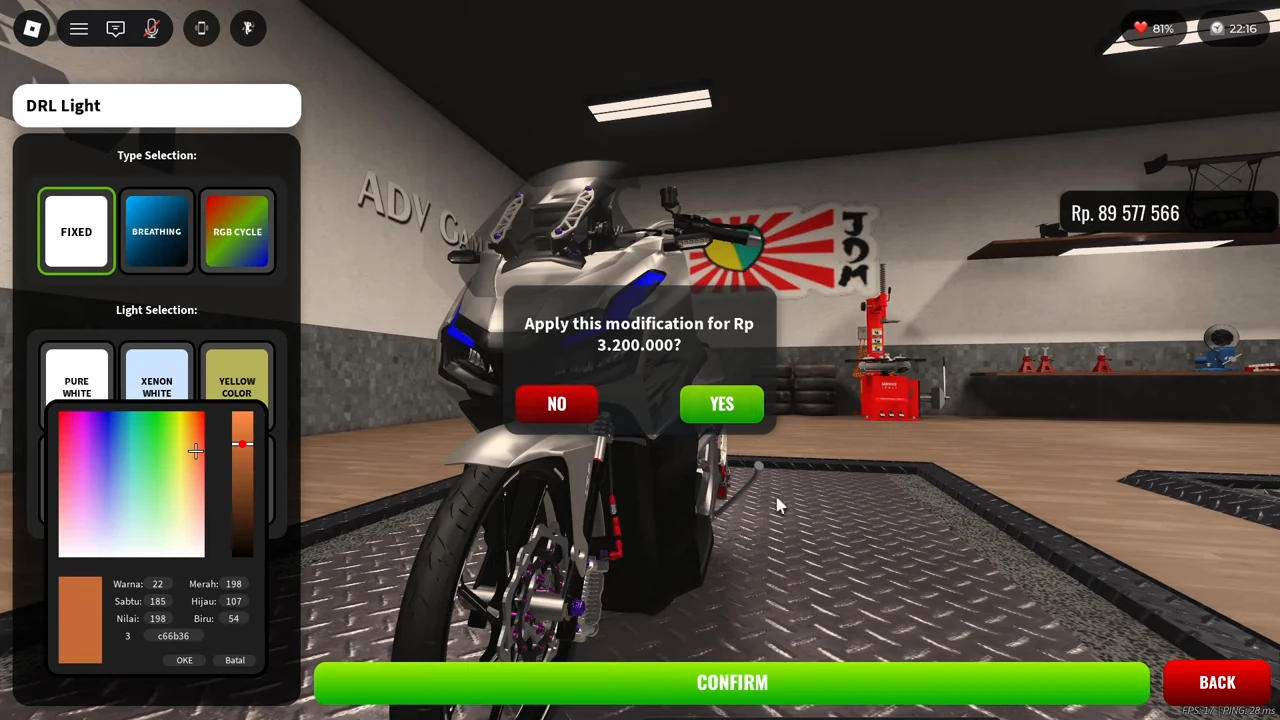
Selecting Custom Color opens a picker with a colour field, brightness-style slider, numeric colour fields and a hexadecimal field. The popup also exposes OKE and Batal. Inspect these controls separately from the Type Selection buttons: the recording leaves the picker open while the motorcycle preview cycles through colours. It does not demonstrate a saved fixed custom hex colour, so the visible c66b36 field is not a verified final vehicle colour.
Apply and verify the saved change
Use the green CONFIRM control and read the price in the next dialog. The recorded prompt asks whether to apply the modification for Rp3,200,000 and offers YES and NO. After confirmation, the DRL Light mode applied message appears and the wallet changes from Rp89,577,566 to Rp86,377,566. This single transaction does not establish a fixed fee for every mode or vehicle.
Inspect the vehicle after closing the panel
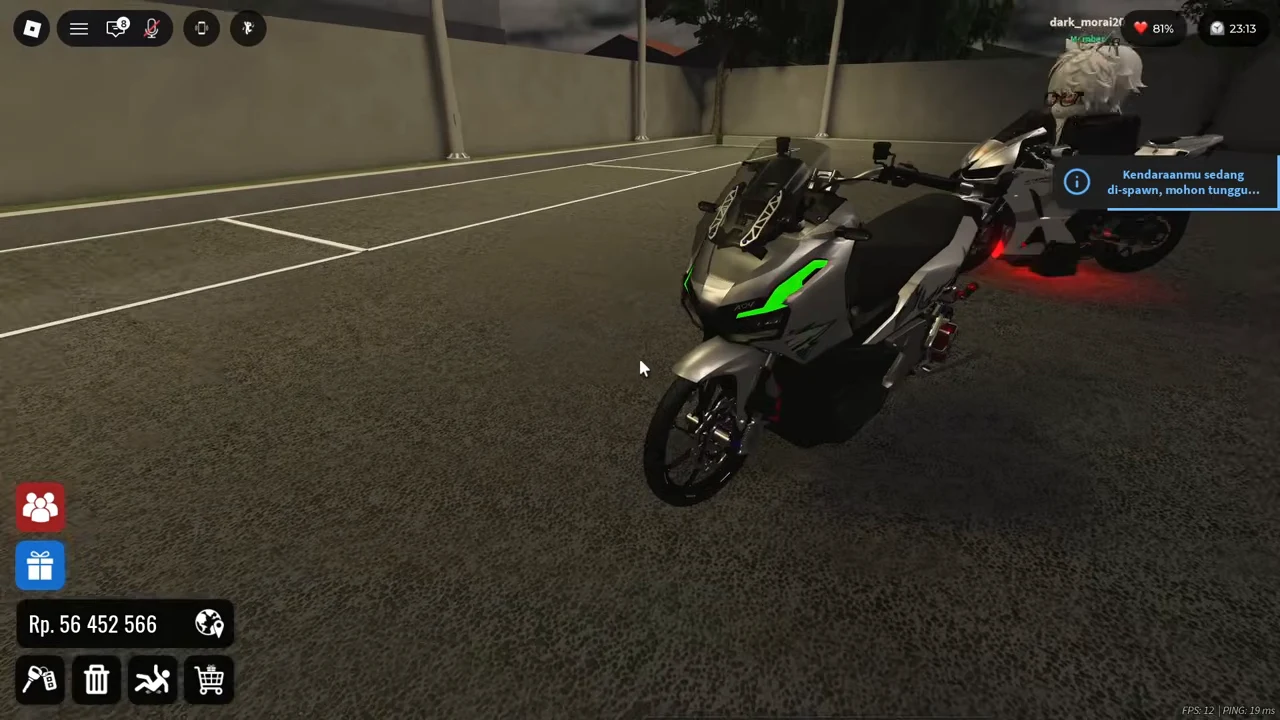
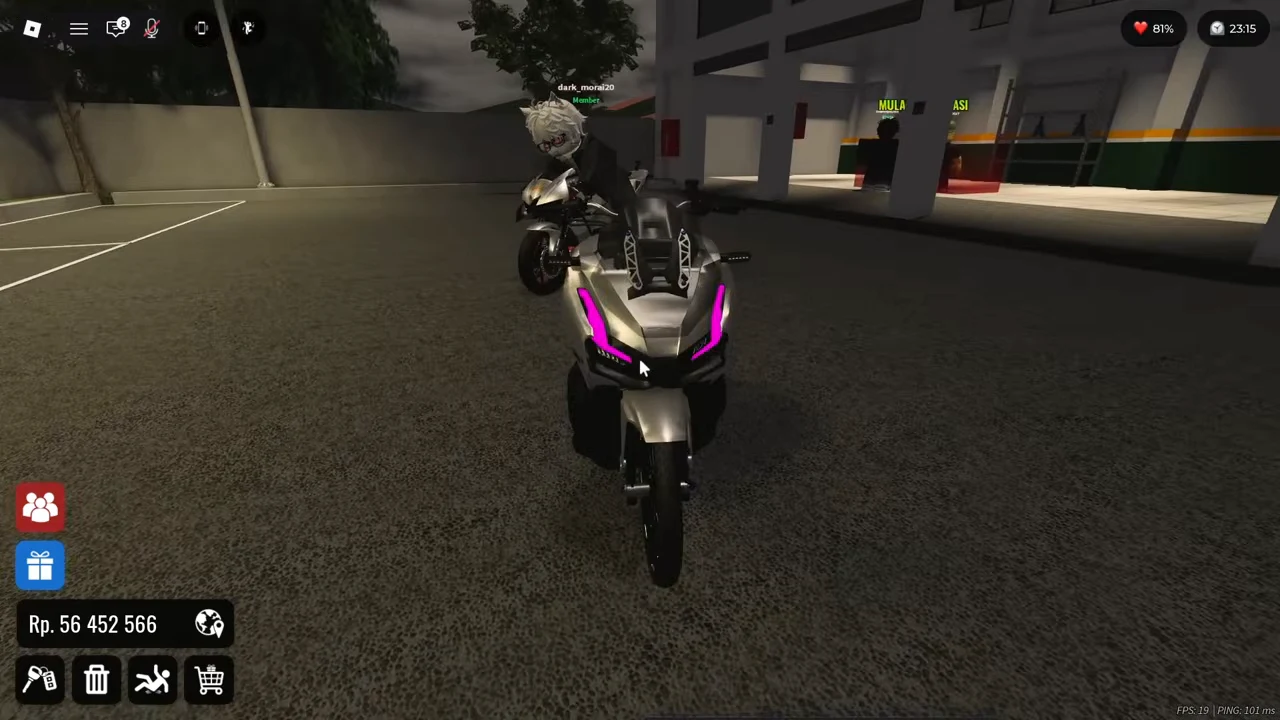
The following outdoor scene shows a silver ADV motorcycle with its front lights cycling through green, blue, purple and orange. This is an actual garage-exterior view, so the effect is visible outside the settings panel. Inspect the corresponding lamps from outside when checking your own change.
There is a scene and wallet jump between the garage and the outdoor view. The footage therefore does not isolate every intervening action or prove that the whole balance difference is a DRL fee. It also does not test a fixed custom colour, rejoining the server or reconnect persistence.
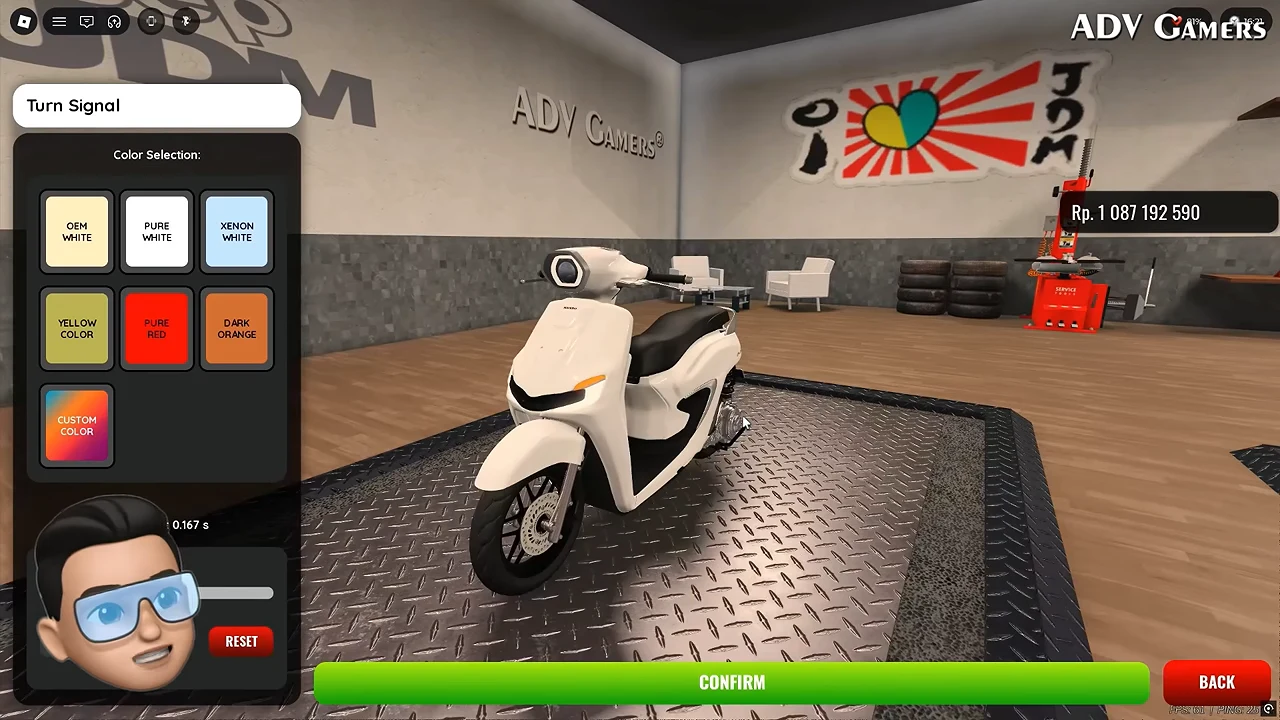
Open the separate Turn Signal setting
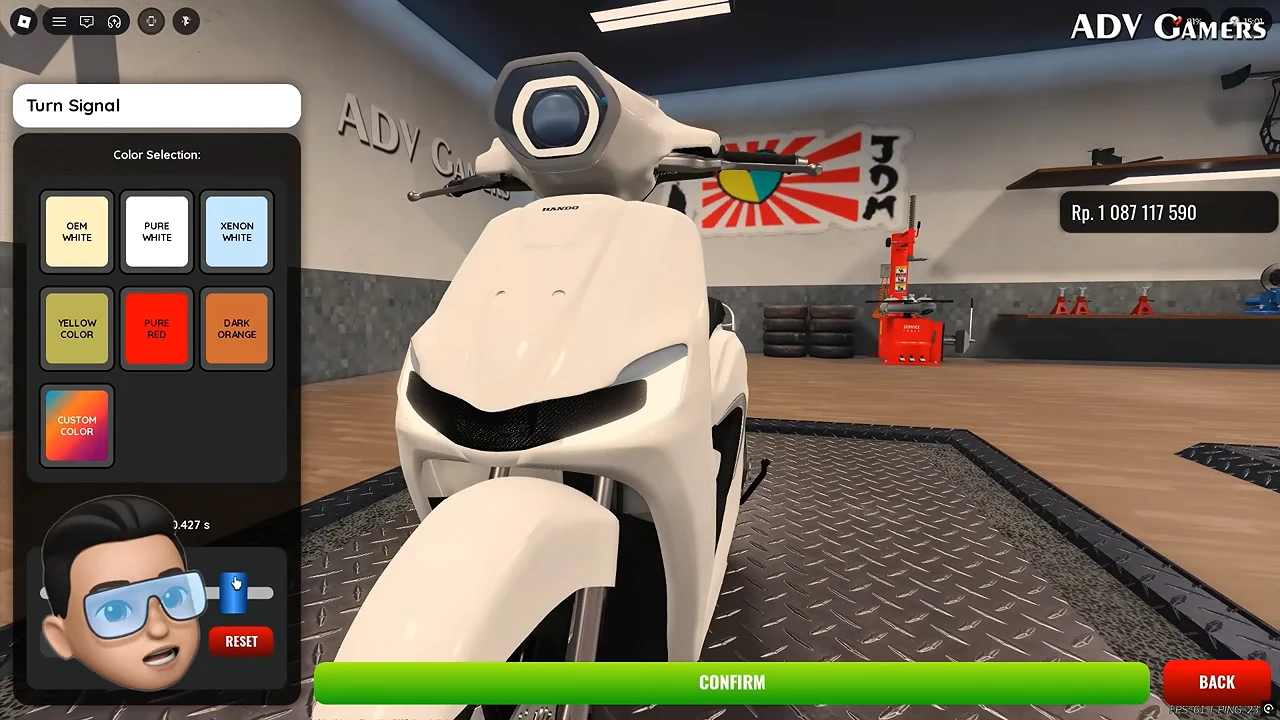
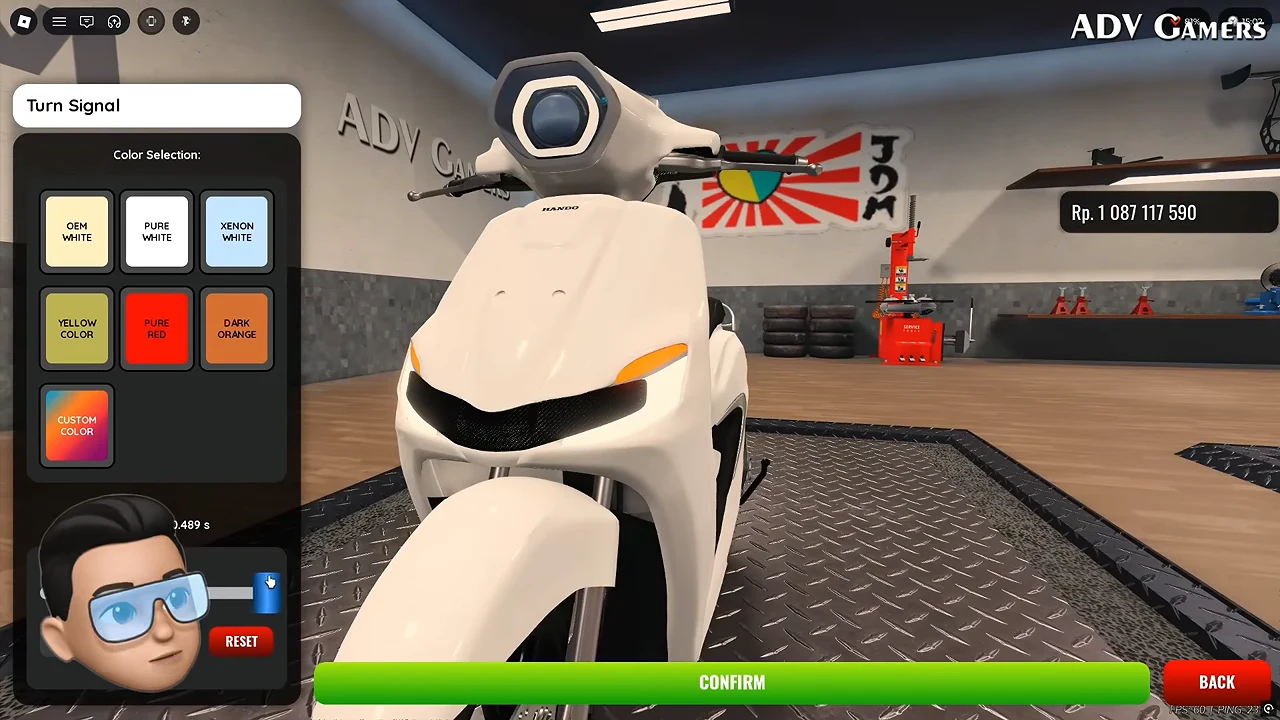
To adjust indicator flash timing, return to the garage lighting row and choose Turn Signal, the button with two opposing arrows. This opens a panel headed Turn Signal. Its colour presets occupy the upper area; the seconds readout, horizontal slider and RESET control sit below them. These controls are separate from DRL Light and its RGB Cycle mode.
The creator avatar covers part of the lower label in this recording. The visible seconds value and slider still provide an observable adjustment: follow the number above the slider rather than treating a DRL colour change as a turn-signal timing change.
Move the slider and inspect the lamp preview
Move the horizontal slider under the colour presets and watch its seconds readout. In the observed sequence it displays 0.427 s at 20:14, then 0.489 s at 20:15 with the handle farther right. Moving it left produces 0.366 s at 20:17. These are observed settings on this scooter, not a measured minimum, maximum or recommended value.
The front indicator strips are visibly unlit in the 20:14 frame and orange in the 20:15 frame. The continuous preview between 20:15.25 and 20:16.75 also alternates lit and unlit states. This demonstrates the adjustment and a blinking preview; the footage does not establish whether the displayed seconds represent one phase or a complete blink cycle. Do not convert these numbers into an asserted flashes-per-second rate.
Separate preview adjustment from a saved result
The panel exposes CONFIRM, BACK and RESET. By 20:23 the visible readout is 0.167 s; the recording then returns with BACK to the lighting row. This excerpt contains no readable priced confirmation or applied-success message for the timing change, so it proves the control and preview, not a saved flash-rate transaction.
Before leaving your own garage, use the confirmation flow if you want to keep a change, read any price or success response it actually shows, then reopen Turn Signal to compare the stored value. Check the indicators again outside the panel. If that result is not visible, keep the change marked unverified rather than borrowing the separate DRL payment shown earlier.