Choose the route that matches your account
Start with one practical goal: get a vehicle available on your account, get on it and make a short drive. If you already own one, skip the dealer example and open the vehicle list. If you need to buy, verify both the selected offer and the result before moving on.
The plaza and driving sequence comes from an established account in an Indonesian-language recording uploaded December 28, 2025. The paid purchase is a separate account and recording. These examples do not establish starting cash, a universal free-vehicle entitlement or one uninterrupted new-account session.
Inspect the selected dealer offer
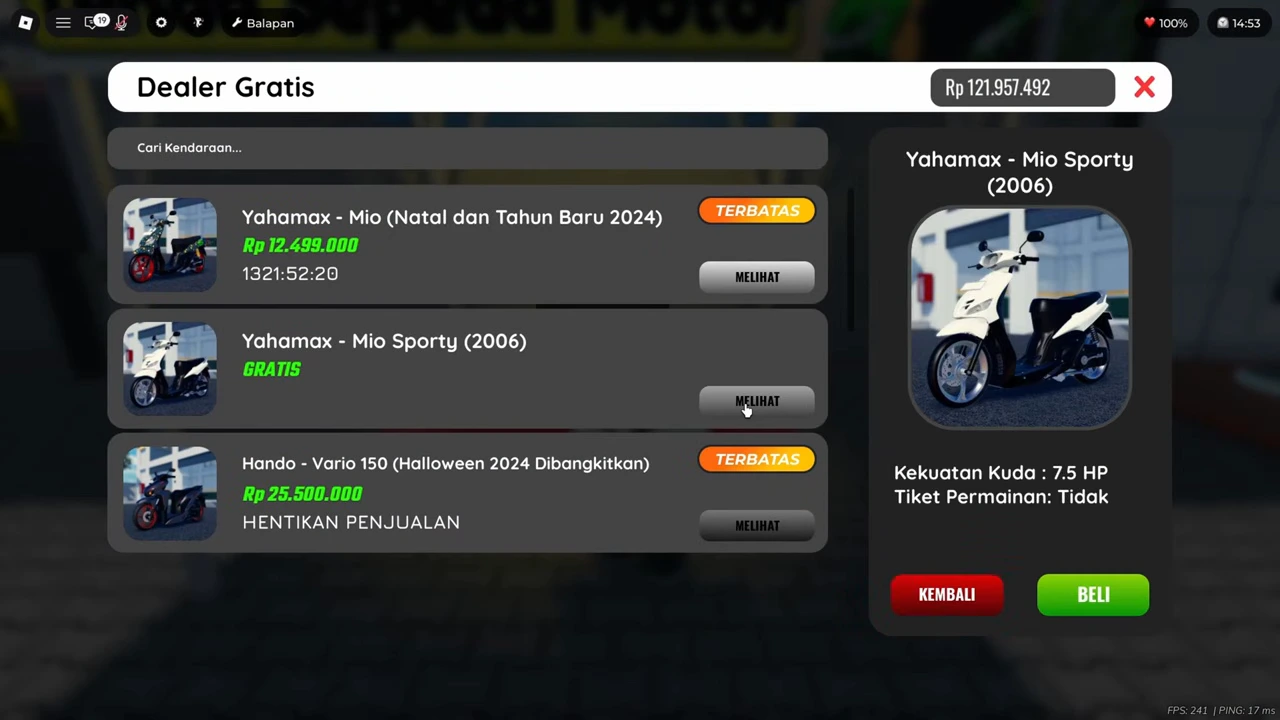
In the recorded plaza, the player approaches the Tenda Sepeda Motor tent marked DEALER PROMO. The next menu is Dealer Gratis. The ordinary Yahamax - Mio Sporty (2006) row is marked GRATIS and its selected panel has a BELI button.
Other rows in that same menu have prices and event labels. Read the exact model, price and purchase control together. The pictured free offer is a dated listing; this sequence does not show its purchase succeeding or prove that the offer is still available.
Confirm a purchase before calling it acquired
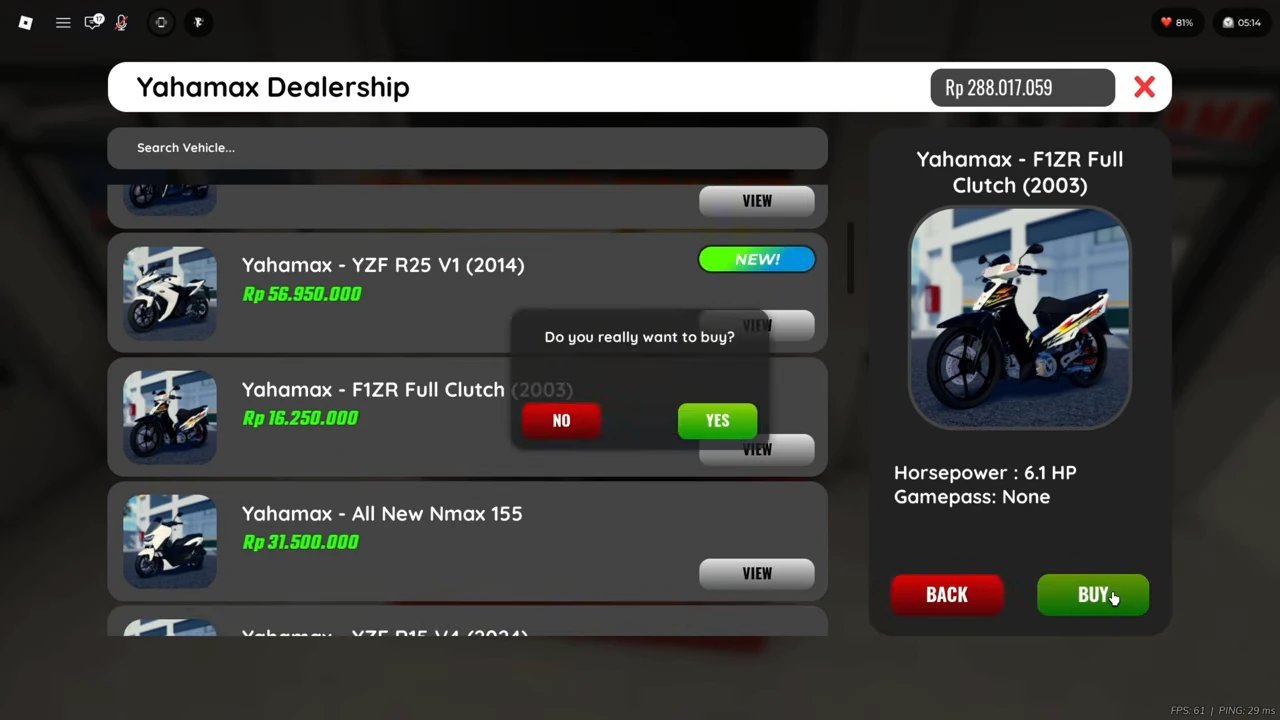
A separate recorded transaction shows Yahamax - F1ZR Full Clutch (2003) listed at Rp16,250,000. Its detail panel shows 6.1 HP and Gamepass: None. Pressing BUY opens the YES / NO confirmation.
Use the selected name and price to check that the prompt belongs to the vehicle you intended. Accept only if the cost is the one you want; otherwise choose NO and recheck the selection.
Check the result and balance
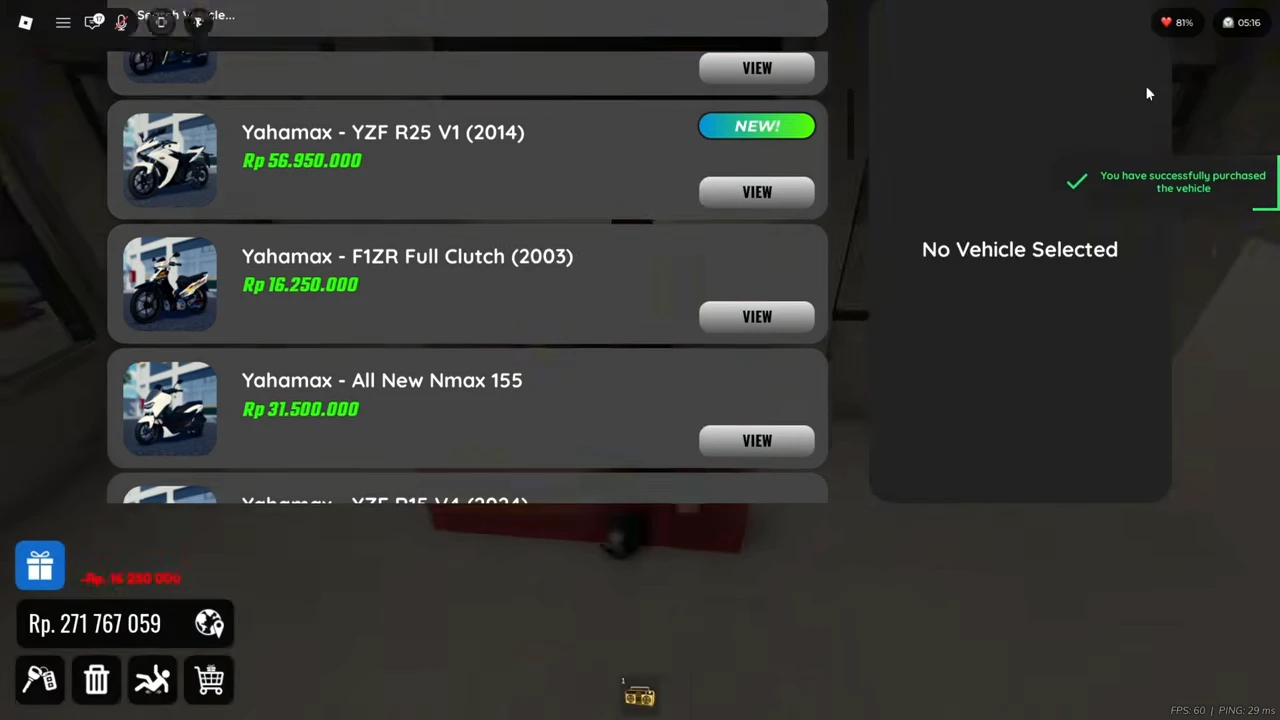
After confirmation, the recording shows a successful-purchase message, a Rp16,250,000 deduction and a balance of Rp271,767,059. The preceding balance was Rp288,017,059; subtracting the price gives the displayed result.
That is a confirmed acquisition example. It is not evidence that the motorcycle in the next recording is this newly bought F1ZR. If your own transaction has no success result, resolve it before repeatedly accepting another purchase.
Open your vehicle list and spawn a ride
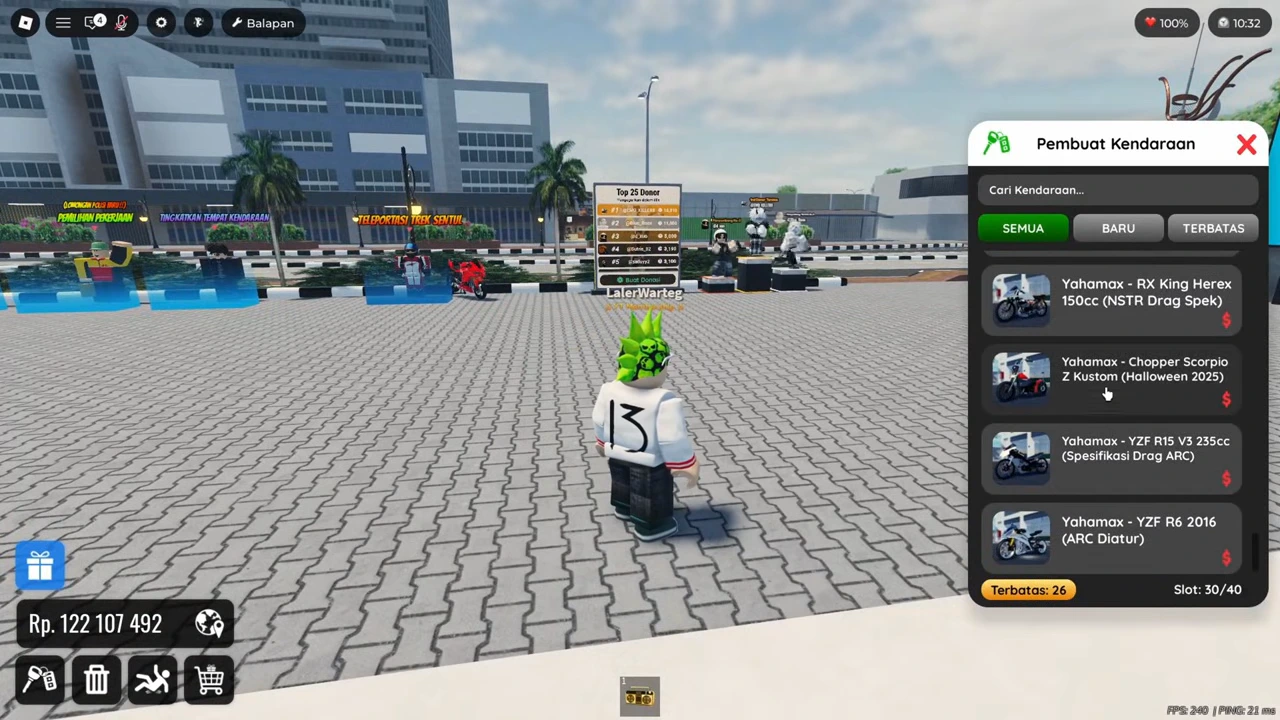
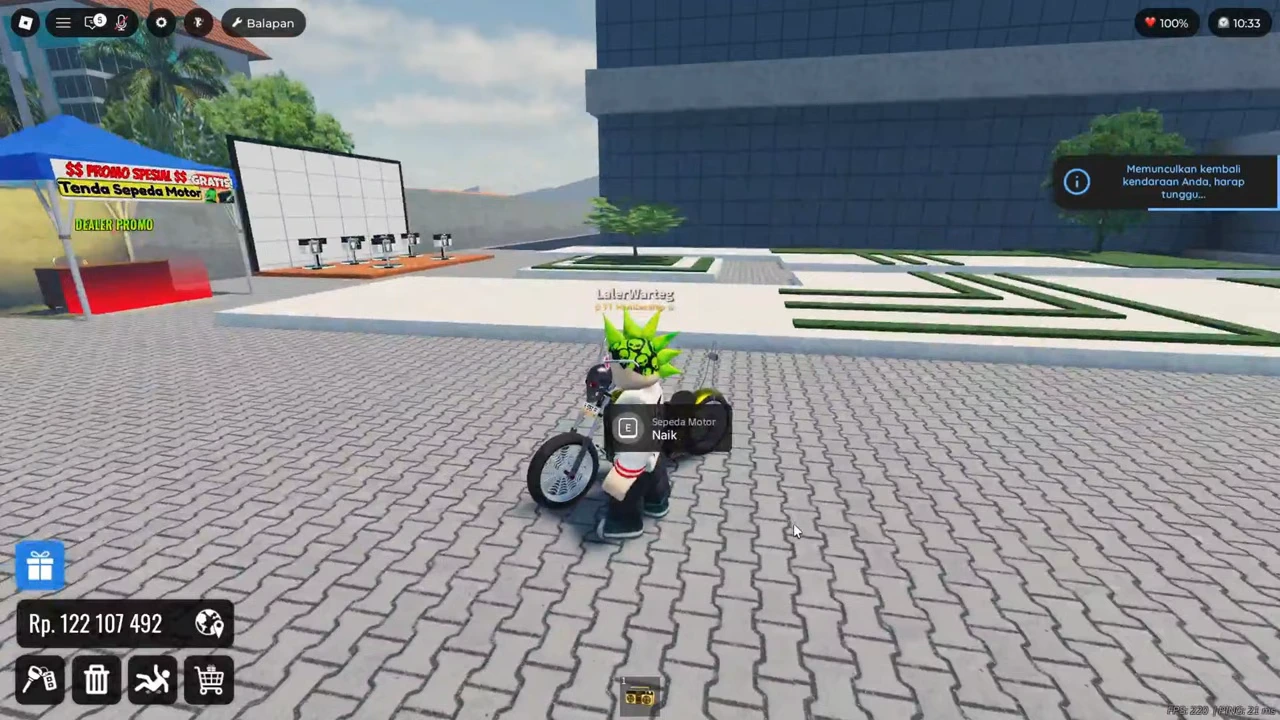
Back in the plaza sequence, the lower-left key icon opens Pembuat Kendaraan. The player scrolls the available vehicles, chooses one and closes the list; a motorcycle appears beside the avatar with a respawning message.
Use an entry available on your own account. Wait for the vehicle to appear before attempting to ride it. The large existing collection shown here is not a required beginner inventory.
- Open the key icon at the lower left.
- Find an available vehicle in Pembuat Kendaraan and select it.
- Wait for the motorcycle to appear beside the avatar.
Use the ride prompt, then make a short drive
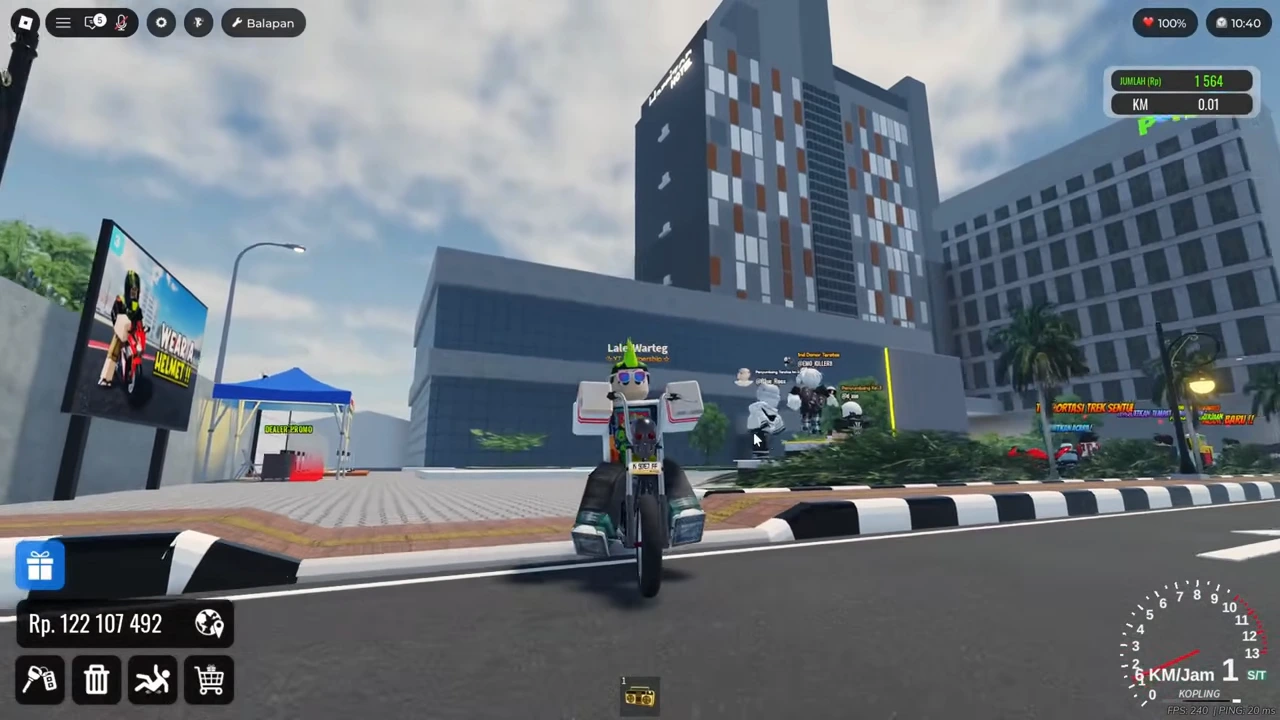
Near the motorcycle, the prompt reads E, Sepeda Motor and Naik. The player gets on, the driving display appears and the same sequence moves out to the road edge.
Approach close enough to see the ride prompt before interacting. Once seated, test movement in a short clear stretch and watch whether the vehicle responds. Complete that small check before shopping for upgrades or attempting a race.
Small PC control reference
Radex Tips describes these PC bindings in the August 9, 2026 controls video. This is an attributed keyboard reference, not a keypress overlay in the plaza sequence. The native E ride prompt above separately supports that interaction.
| Key | Described function |
|---|---|
| W A S D | Movement and driving |
| E | Interact |
| Spacebar | Jump outside a vehicle |
| P | Toggle parking |
Choose one next activity
After you can enter and move your vehicle, choose one next step instead of buying several upgrades at once. Compare a dealer entry if you need another vehicle, or follow a documented activity route with the vehicle you already have.
Keep the session goal observable: you selected the intended vehicle, confirmed any purchase you made, reached its ride prompt and moved while seated. Those checks are more useful than matching somebody else’s wallet or collection size.